

If you haven’t yet discovered the world of public domain art, this website is such a fantastic resource that could change your life! Our collections feature 1000s of pictures and your mind will be racing as to what you can make with them….. Framed prints, postcards, card-making embellishments such as decoupage and pyramage, pictures for Facebook posts, calendars, bookmarks, fridge-magnets, mugs, bags, boxes, artists’ trading cards and so much more.

Download this sample image now to see how we name our images. All filenames include information about the image, including the artist or publication, picture name and the period it is from.
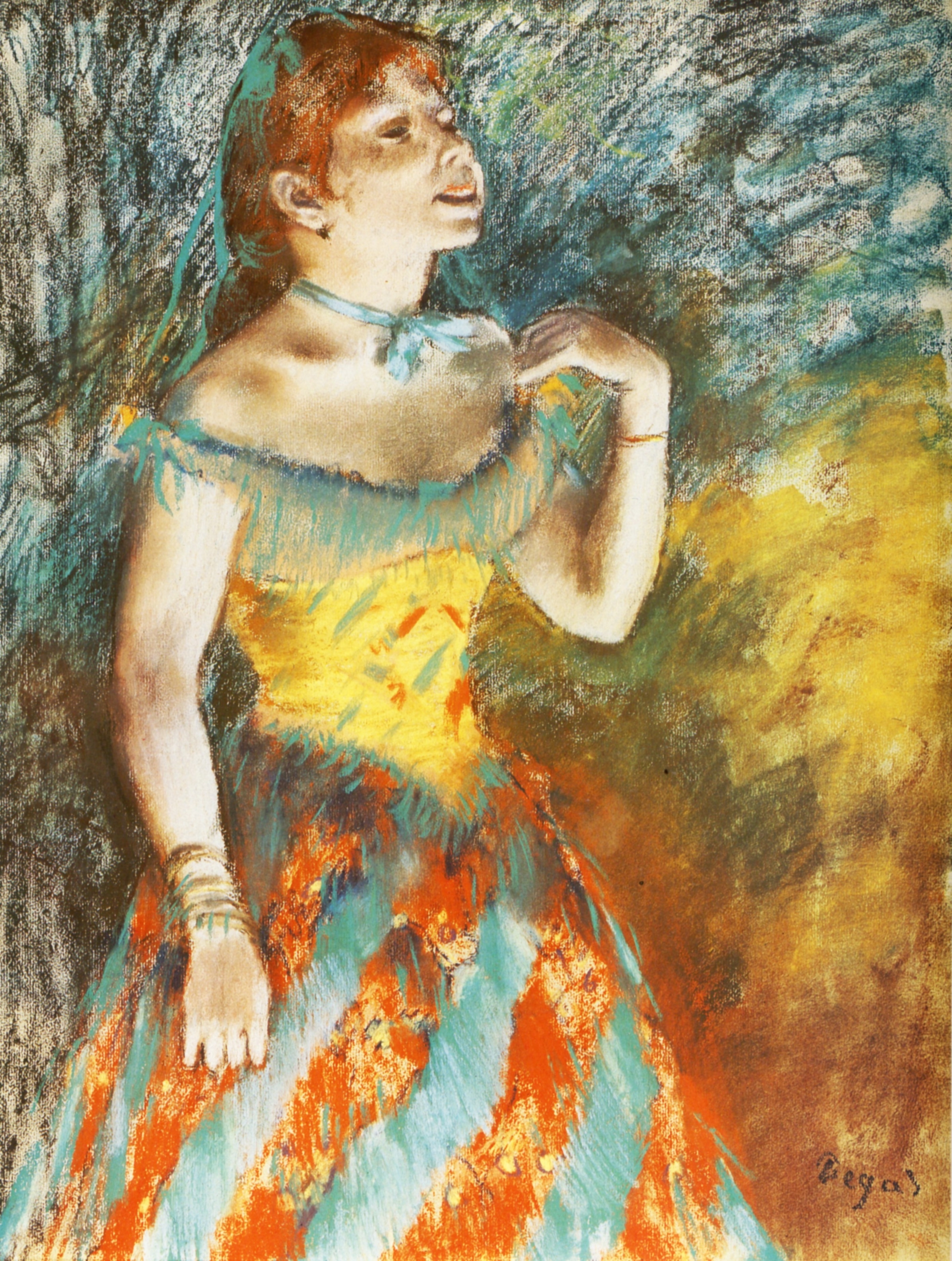
This painting, ‘Singer in Green’, is from 1884 and was painted by Edgar Degas (1834-1917). It’s taken from our Impressionists & Post-impressionists collection.
We’ve got whole collections dedicated to the work of numerous artists. All of the images on the DVDs and digital downloads are out of copyright and in the public domain in the UK, US and all countries that follow the same copyright rules, and therefore can be used as many times as you like without paying any royalties or commissions to anyone!
Question – What does public domain mean? Read more….
The public domain includes every creative work that is no longer protected by a copyright, trademark, or patent. Creative works that are no longer protected are owned by the general public rather than the original creator. As such, the work is free to be copied, performed, or otherwise used by anyone. Want to know more about the copyright rules for public domain images? Check out our comprehensive blog post.
Question – Why are you charging for images if they are in the public domain? Read more….
We have taken time and used our experience in researching the law to ensure that images are in the public domain and free to use. We buy books, scan images and collate them into collections for your use. You are of course free to find and research your own artists and images if you wish to.
Question – What can I do with the images? Read more….
You can use the images for anything you like – make prints to frame, postcards, posters, greetings cards, decoupage and pyramage for card-making, background papers for card-making and scrapbooking, collage, altered art, calendars, mugs, mouse-mats, t-shirts, fridge-magnets and so much more! Use them in a book, on your website, blog or promotional post on Facebook.
If you wanted, you could start a whole new business, selling items that you’ve made.
Feel free to sell the products you make on eBay, Etsy, Facebook, your own website, at craft fairs, school fairs, church fairs, in shops – anywhere that there are buyers. Sell for charity, sell for yourself, use the items for educational purposes – let your imagination run wild!
However….you may not reproduce our DVDs as a whole or in part to be sold as raw images on another disc or website or in any way that might be considered competition to ourselves.
Want to know more about the copyright rules for public domain images? Check out our comprehensive blog post.
All products are now also available immediately as Digital Downloads at a cheaper price than the DVDs!
Artists – view all 17
-


Public Domain Image DVD – Monet
£10.41 – £11.45 Select DVD or Digital Download -


Public Domain Image DVD – Jessie Willcox Smith
£10.41 – £11.45 Select DVD or Digital Download -


Public Domain Image DVD – Warwick Goble
£10.41 – £11.45 Select DVD or Digital Download -


Public Domain Image DVD – Cecil Aldin Illustrations
£10.41 – £11.45 Select DVD or Digital Download -


Public Domain Image DVD – Arthur Rackham Illustrations (US version)
£10.41 – £11.45 Select DVD or Digital Download -


Public Domain Image DVD – Elizabeth Gordon’s Flower Children Series
£10.41 – £11.45 Select DVD or Digital Download
Enter your first name and email address and then spin the wheel. Win a discount or a free picture.
Some rules:
- One game per user.
- Limit of one discount per customer.
- Discounts are valid for 72 hours and are valid for your whole order, excluding shipping.
- Free pictures are digital images to download from our collection.
Smaller Digital Download Collections


Other Categories – view all
We’ve also put together some multi-DVD collections, enabling you to save a lot of money!
Multi DVD Collections – view all 8


Latest Blog Posts – view all

Claude Monet’s Masterpieces in the Public Domain: A Timeless Legacy for Art Lovers
Claude Monet, the renowned French Impressionist painter, is hailed as one of the most influential artists in the history of Western art. His ground-breaking works captivate viewers with their vibrant colours, atmospheric landscapes, and unique brushwork. Monet’s contributions to the art world have left an indelible mark, and his masterpieces continue to inspire and awe…
Continue reading Claude Monet’s Masterpieces in the Public Domain: A Timeless Legacy for Art Lovers

A Biography of the Enchanting Illustrator Warwick Goble
Warwick Goble was an influential and highly skilled British illustrator and author known for his remarkable contributions to the world of children’s literature and folklore. Born on November 22, 1862, in Dalston, London, Goble’s creative talent manifested at an early age, indicating his future as a prominent artist. Goble grew up in a creative household…
Continue reading A Biography of the Enchanting Illustrator Warwick Goble

What DPI are our images?
Some of the questions we’re often asked are, ‘What DPI are your images?’ and ‘Are your images 300 dpi?’. All of our images were originally scanned at 300dpi or 600dpi.

Public Domain Copyright Rules – US and UK Criteria Explained
Both the United States and the United Kingdom had quite different copyright criteria up until recently so I will attempt to clarify the copyright rules here.
Continue reading Public Domain Copyright Rules – US and UK Criteria Explained

Biography – Jessie Willcox Smith
Jessie Willcox Smith (September 6, 1863 – May 3, 1935) was an American illustrator during the Golden Age of American illustration. She was considered “one of the greatest pure illustrators”. She was a contributor to books and magazines during the late 19th and early 20th centuries. Smith illustrated stories and articles for clients such as Century, Collier’s, Leslie’s Weekly, Harper’s, McClure’s, Scribners, and the Ladies’ Home Journal. She…

Biography – Cecil Aldin
Cecil Charles Windsor Aldin (28 April 1870 – 6 January 1935), was a British artist and illustrator best known for his paintings and sketches of animals, sports, and rural life. Aldin executed village scenes and rural buildings in chalk, pencil and also wash sketching. He was an enthusiastic sportsman and a Master of Fox Hounds, and many…




&url=https://publicdomainimagelibrary.com/product/public-domain-image-dvd-arthur-rackham-illustrations-us-version/&media=https://publicdomainimagelibrary.com/wp-content/uploads/2020/03/Arthur-Rackham-Box.jpg)


